



Collections management systems and digital archives
We build custom systems to organize, manage, control access to, search and present a collection of documents, photographs and audio and video recordings. That covers the tools and permissions your staff use every day, and the public digital archive or online collection people use to explore it.
How a record moves through the system
Organize
One data model
Existing catalogs, spreadsheets and your scanning vendor's files are mapped to one model for items, people, places and rights.
Manage
The catalog
Staff describe and edit records in one place. Transcription and text recognition give them a first draft.
Control access
Review and approval
Roles and permissions decide who can catalog, review and publish. Nothing goes public until it is approved.
Search
The published index
Approved records are added to a search index. Unpublished records never enter it.
Present
The public website
Researchers search, zoom into images and cite items, all from the published index.
What the system does
- Metadata and catalog records
- Data models for items, people, organizations, places, subjects, languages and rights, designed with your staff so records describe the collection the way your field expects.
- Administrative tools
- Screens for cataloging and importing, with review and approval so records are checked before they are published.
- Roles and permissions
- Roles decide who can catalog, review, approve and publish. Records stay out of public view until they are approved, and private or restricted material can be kept on a separate sign-in site.
- Search
- Full-text search and filters across the whole collection with Elasticsearch, for staff and for the public.
- Public websites
- Public archive websites in React and Next.js, high-resolution image viewing with IIIF, audio and video, and persistent links people can cite.
- Connections
- Links to transcription and text recognition (OCR) services, and to the other systems your organization already uses.
- Workflows
- Paper forms, spreadsheets and email chains become clear steps in one system, so staff spend less time chasing records.
Standards and tools we use: IIIF, Elasticsearch, .NET, Angular, React and Next.js, Microsoft SQL Server, Amazon Web Services.
Moving your records
Collections usually have records already, in an older catalog or collections database, in spreadsheets or in another system. We map those records to the new data model, clean them and move them across.
Before we switch over, we check the new system against the old one.
Archive systems we have built and customized
Archives and cultural heritage
Blavatnik Archive Foundation
The collections management system behind a large historical archive, the public digital archive websites built on it, and the Refuseniks and Activists project.
Read the case studyblavatnikarchive.org
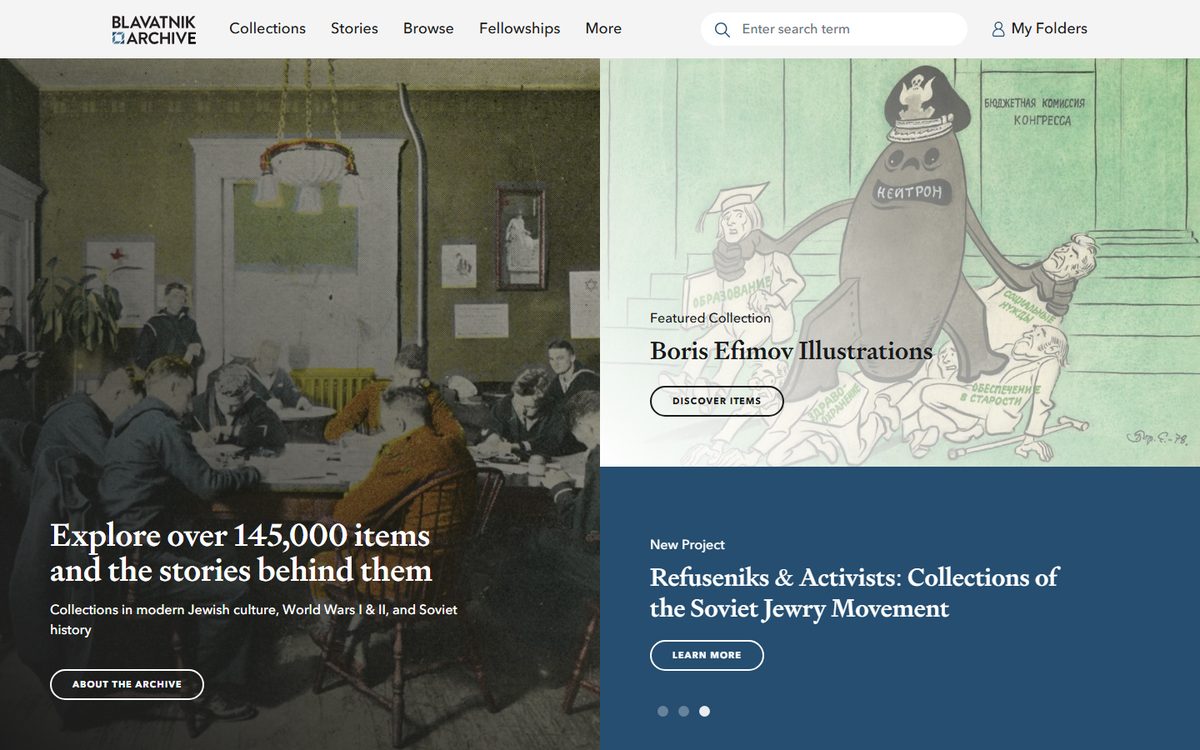
blavatnikarchive.org 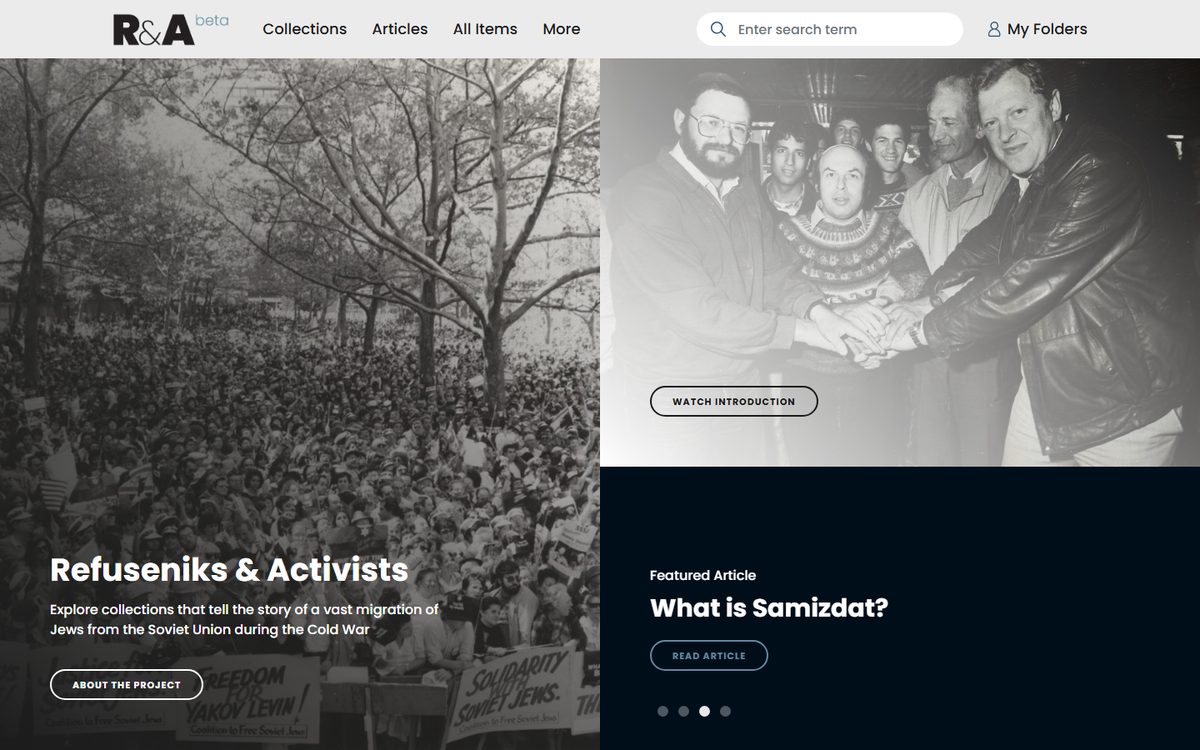
refuseniksactivists.org Public websites designed with the foundation's design partners. The software behind them is built and supported by IT Comrade.
Archives and memorials
Babyn Yar Holocaust Memorial Center
The collections management system the Blavatnik Archive Foundation donated to the Center, which we set up on AWS and customized for its archive, including transcripts in more than one language.
Read the case studybabynyar.org
Policy research and archives
Woodrow Wilson International Center for Scholars
A digital archive for three international history projects with a contributor and translation portal, and the Center's system for fellowships, scholarships, events, publications and contacts.
Read the case studywilsoncenter.org